Read Before You Sync: The Legal Time Bomb Hiding in Your Meeting Notes
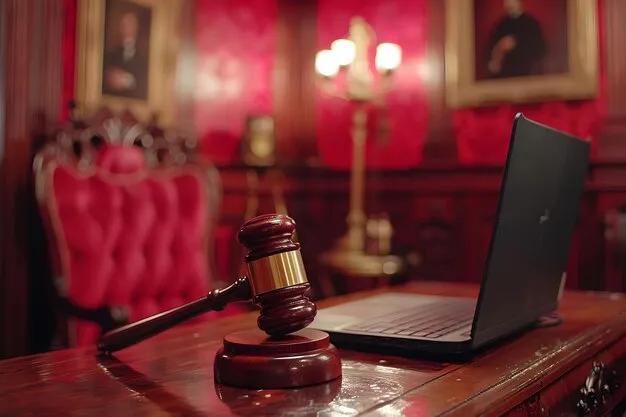
Photo: empty courtroom gavel with laptop and documents on desk dramatic lighting, via img.freepik.com
Here's a fun thought experiment for your next Tuesday meeting: everything you type into your notes app — the snarky aside about a coworker, the "we're probably exposed on this" comment, the half-baked estimate you scribbled during a vendor call — could one day be read aloud by opposing counsel in a deposition.
This isn't paranoia. It's just how American civil discovery works, and most knowledge workers have never spent ten seconds thinking about it.
Everything You Write Is a Statement
In US litigation, the discovery process lets each side demand relevant documents and records from the other. That includes emails, Slack messages, and — yes — your notes. Cloud-synced notes are especially juicy targets because they're timestamped, searchable, and stored on servers that can be compelled into producing them.
The pattern shows up repeatedly in employment and commercial disputes. Plaintiffs' attorneys routinely request internal notes and memos, and courts have consistently held that personal notes taken in the course of business are generally discoverable if they relate to the claims at issue. A casual "the numbers in this deck don't add up" written in a meeting app becomes Exhibit A in a fraud case. A note reading "she seemed distracted, probably personal issues" becomes evidence in a discrimination suit — not because it proves anything, but because it sounds like something when read to a jury.
The legal doctrine of "work product" protection, born from the 1947 case Hickman v. Taylor, offers some shelter for notes prepared in anticipation of litigation — but a routine Monday standup note doesn't qualify. Regular business notes are fair game.
The Cloud Makes It Worse
Old-school paper notes could at least be lost, spilled on, or filed into oblivion. Cloud notes are forever, versioned, and synced to three devices you forgot you owned. Worse, many popular apps keep revision history — meaning the snarky line you deleted still exists three versions back, ready to be produced.
There's also the retention problem in reverse: some companies have faced sanctions for failing to preserve notes once litigation was reasonably anticipated. Once a legal hold lands, that auto-delete policy in your notes app becomes a spoliation problem. Delete the wrong thing at the wrong time and you're not just losing the case — you're generating a separate sanction-worthy offense.
Which Apps Encrypt (and What That Actually Buys You)
Let's be precise, because encryption marketing is everywhere: encryption protects your notes from hackers and from the vendor itself. It does not protect you from discovery. If a court orders you to produce notes, you produce them — encrypted or not. You'll be asked for the password.
That said, default encryption still matters for privacy day-to-day. Standard Notes, Obsidian (with the Sync plan), and Apple Notes (with Advanced Data Protection enabled on your iCloud account) offer end-to-end or zero-knowledge encryption by default or near-default. Notion, Evernote, and most Google Workspace tools encrypt data in transit and at rest on their servers — but the provider holds the keys, meaning they can technically read your notes and will hand them over when legally required.
So choose encryption for privacy; choose your words for litigation.
The Legally Safer Pod: A Checklist
You don't need to stop taking notes. You need to take them like a professional who might someday have to defend them. Our checklist:
- Write like it will be read aloud. Because it might be. Stick to facts, decisions, and action items. Save the color commentary for a phone call.
- Kill the speculation. "Probably fine" and "looks like a problem" read very differently in a deposition than they did in your head.
- Separate personal from work. Mixing your therapist appointment into your work notes app invites a fight over privilege and scope. Keep pods separate.
- Know your company's retention policy. If legal holds exist, your auto-delete settings could create liability. When in doubt, ask legal before litigation, not after.
- Mark privileged material clearly. If you're ever taking notes for counsel or in anticipation of legal action, label them. It's not a force field, but it helps establish the claim.
- Audit your sync history. Check whether your app keeps version history and where old devices are still syncing.
Notes Aren't the Enemy. Naïveté Is.
We're not going to tell you to take fewer notes — this is NotePod, after all. Notes are how work happens. But there's a difference between a note pod built for productivity and one built like a diary you'd be horrified to see subpoenaed.
The five-minute habit to adopt: before you type an aside into a meeting note, imagine it on a projector in a courtroom, with a lawyer reading it slowly. If it survives that mental screening, sync away.